
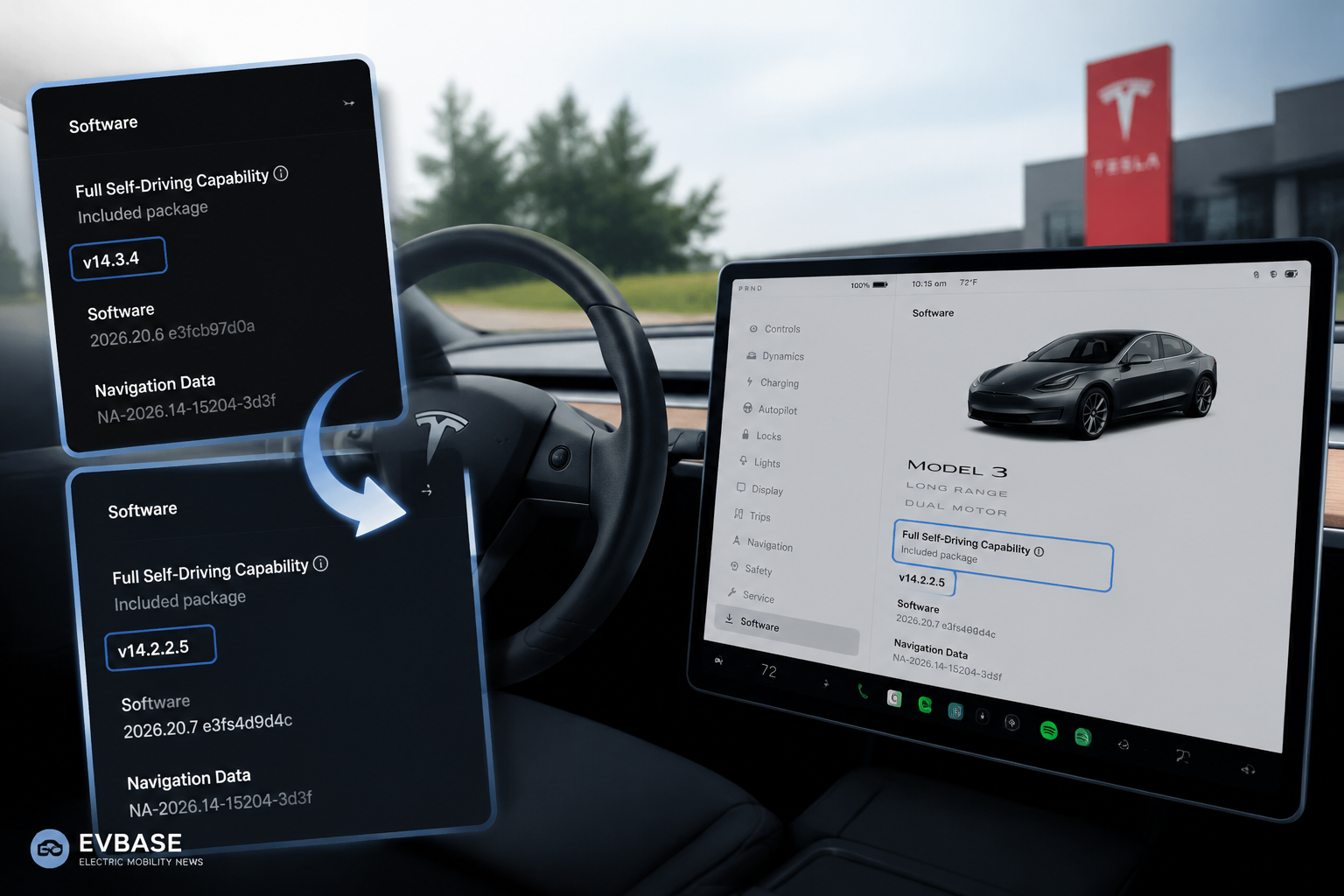
Some Tesla Model 3 owners are reporting that their displayed Full Self-Driving software version moved backward after an update. In one July 20 exchange, an owner said a Model 3 that had been running FSD 14.3.4 changed to 14.2.2.5. Another owner, Joey V, replied that the same thing happened to a vehicle delivered on June 5 and shared screenshots of the software information screen.
The reports are noteworthy because drivers usually expect over-the-air updates to move every visible version number forward. They do not yet prove that Tesla has ordered a broad fleet rollback, identified a safety defect, or removed 14.3.4 from all affected cars. Tesla has not provided a public explanation tied to these individual vehicles.
Why it matters
Tesla sells software updates as one of the defining advantages of its vehicles. Owners therefore read version numbers as a simple measure of progress. When the FSD number declines after an update, it can create the impression that the car lost capability or was moved onto older code without warning. Even if the change is routine branch management, the experience can undermine confidence unless Tesla explains what happened.
Tesla’s software stack does not always advance as one straight public sequence. A vehicle update can bundle a base firmware version with a particular FSD build, and different branches may target different hardware, regions, factory configurations or test groups. A numerically newer vehicle firmware package can therefore contain an FSD component whose number appears older than the one previously installed.
What the screenshots can—and cannot—show
The owner posts support a limited conclusion: at least two people saw the FSD label change from 14.3.4 to 14.2.2.5. Screenshots can document the versions displayed, but they do not reveal the server-side deployment decision, the complete release notes, the vehicles’ hardware differences or whether Tesla intentionally withdrew a feature. Teslascope and other community trackers can show broader branch patterns, yet they remain independent services rather than official explanations.
Important distinction: This is not the same as an owner manually restoring an earlier whole-vehicle software release. Tesla’s owner documentation says reverting to a previous software version is not possible. The reported change appears to have arrived through Tesla’s normal update system.
Why Tesla may move vehicles between branches
Automakers stagger updates to control risk. A company may pause a build, move a group to another branch, align new factory deliveries with a stable package, or separate vehicles according to hardware and geography. Any of those explanations is plausible here, but none is confirmed for the reported cars. It would be equally premature to assume a hidden safety problem simply because the FSD number decreased.
Owners should compare the complete vehicle software version, read the release notes, confirm that cameras and driver-assistance settings operate normally, and contact Tesla service if expected features disappear or warnings appear. Drivers must also remember that FSD remains supervised; a version label does not change the obligation to stay attentive and be ready to take control.
What comes next
The clearest resolution would be a Tesla release note or support statement explaining why 14.3.4 vehicles received 14.2.2.5. In the absence of that, the number of independent reports and their hardware patterns will show whether this was a small deployment correction or a wider branch change. The immediate story is less about lost capability than transparency: software-defined cars need software communication that owners can understand.
Related EVBase reading
· Tesla FSD V14.3.5 starts rolling out with expanded Camera Preview
· EVBASE Tesla and EV news hub
Sources
· Joey V—Model 3 owner report on X
· ReardenSteelX—original FSD version-change report on X
Share:
Tesla Says Starlink V5 Is Directly Integrated Into Cybercab
Tesla Model Y L Adds Automatic Obstruction Protection for Seats and Liftgate